AIChatOne Review - All-in-One AI Assistant Chrome Extension
AIChatOne: When Browser Extensions Replace Your AI Subscription Tab Mess
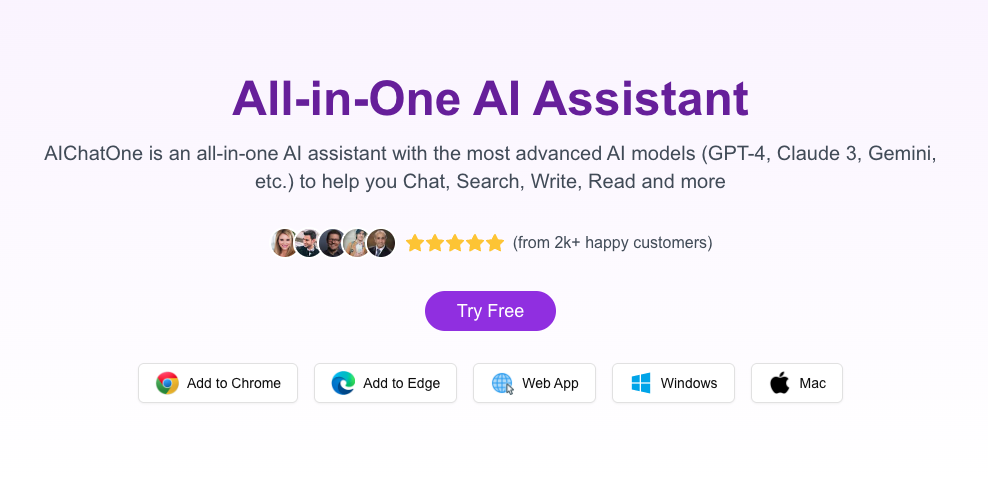
Most people working with AI have the same tab problem: ChatGPT in one tab, Claude in another, Gemini in a third. You're context-switching between tools because each AI model has different strengths for different problems.
This workflow is inefficient for obvious reasons: you lose context between tabs, switching happens dozens of times per day, and you're managing multiple login sessions and credit balances.
AIChatOne enters this gap with a straightforward solution: one extension, all your AI models, no tab switching.
The philosophy is simple: don't change which AI models exist. Just change how you access them. Instead of opening six tabs, open one extension.
The AI Tool Proliferation Problem
The last two years created a new workflow problem: too many good AI tools.
Each model has genuine strengths:
- ChatGPT: Best for general tasks, most capable on reasoning
- Claude: Excellent for writing, analysis, and nuanced responses
- Gemini: Strong on visual understanding and integration with Google services
- DeepSeek: Faster for simple tasks, better value for high-volume usage
Most serious AI users need access to all of them because the answer to "which should I use" depends on the specific task.
But having four AI tools means:
- Four login sessions to maintain
- Four separate chat histories to search through
- Four separate billing/credit systems to monitor
- Four browser tabs open simultaneously
- Context switching that kills focus
The inefficiency compounds. A work session that should take 20 minutes takes 30 because you're spending 10 minutes tab-switching and context reconstruction.
AIChatOne's value is in solving this tab chaos without requiring you to adopt a single AI provider's ecosystem.
What AIChatOne Actually Is
AIChatOne is a Chrome extension that acts as a unified interface for multiple AI models.
Install it. Add your API keys for each model (ChatGPT, Claude, Gemini, etc.). Open the extension. Chat with any model without leaving your browser tab.
The implementation is browser-native: your API keys are stored locally in the extension, not on AIChatOne's servers. Nothing is sent to external servers except your actual API requests to the AI providers.
This is important because it means AIChatOne isn't a middleman—it's a convenience layer. Your data flow is: your computer → AI provider. AIChatOne just organizes the interface.
How AIChatOne Solves the Tab Mess
Single Interface, Multiple Models
Instead of ChatGPT in one tab and Claude in another, you have one extension with a dropdown menu: "Use Claude" or "Use ChatGPT" or "Use Gemini."
Switching between models is one click. Your conversation history is preserved per model. Context switching is minimized.
Keyboard Shortcuts
Open AIChatOne instantly with a keyboard shortcut (default: Ctrl+Shift+J). You don't lose focus in your current tab. You don't alt-tab to find the AI tab. You press a key and the extension opens.
This becomes muscle memory. When you need an AI response, it's faster to press Ctrl+Shift+J than to alt-tab.
Conversation Organization
AIChatOne organizes conversations by AI model and lets you folder-organize by topic. You can search across all conversations to find past AI responses without hunting through six tabs.
Example: You need a response you asked Claude three weeks ago about "email template structure." Search across all conversations, find it immediately in your Claude folder.
Web Page Context
You can pass the current webpage's content into AIChatOne. Ask Claude to summarize the article. Ask ChatGPT to identify the main argument. Ask Gemini to extract key points. All without opening the article in a separate tab with the AI.
Sidebar Mode
AIChatOne can operate as a browser sidebar, so you have your AI assistant visible while browsing without tabbing. This is underrated for workflows where you're reading research and asking follow-up questions.
Practical Use Cases Where AIChatOne Shines
Writing and Content Creation
You're writing an article. You need multiple AI perspectives: Claude for structure feedback, ChatGPT for copywriting alternatives, Gemini for factual verification. Without AIChatOne, this is six tabs and constant switching. With it, you toggle between models while keeping your writing context.
Research and Analysis
You're reading academic papers. You want Claude to analyze the methodology, ChatGPT to explain the implications, and Gemini to find related papers. AIChatOne lets you stay in reading mode while querying multiple models simultaneously.
Coding and Debugging
Different AI models have different coding strengths. You're debugging a problem: ask Claude for analysis, ChatGPT for implementation ideas, Gemini for Google API integrations. The sidebar mode keeps the AI visible while you work in your code editor.
Sales and Customer Research
You're analyzing customer feedback. You want multiple AI perspectives on sentiment and themes. AIChatOne lets you process the same input through three different models without manual copy-pasting between tabs.
What AIChatOne Requires You to Provide
AIChatOne isn't a subscription. It's an interface to your existing subscriptions.
You need:
- ChatGPT API key (from OpenAI's API account, different from ChatGPT Plus)
- Claude API key (from Anthropic's API account)
- Gemini API key (from Google AI Studio)
- Any other model API keys you want to access
This is actually better than a typical SaaS subscription because:
- You're not paying AIChatOne as a middleman
- You only pay for API usage you actually do
- You control which models you use (can start with one, add more later)
- Your data stays with your choice of provider, not with AIChatOne
The downside: if you're not already using these APIs, setup requires getting multiple API credentials.
Privacy and Data Handling
AIChatOne's data model matters.
Your API keys are stored locally in the browser extension. They're never sent to AIChatOne's servers. Your conversation history is stored locally in your browser (or synced to your Google account if you enable that).
This means:
- AIChatOne can't read your conversations
- Your AI provider (OpenAI, Anthropic, Google) gets the requests as if you sent them directly
- If you use a privacy-focused browser, your conversations stay private
The tradeoff: if you change browsers or devices, you don't have history sync across devices (unless you manually export/import).
User Experience: Setup and Daily Usage
Initial Setup:
- Install extension
- Get API keys from each AI provider (5 minutes per provider)
- Add keys to AIChatOne
- Set keyboard shortcut preference
- Total time: 15-20 minutes
Daily Usage:
- Press Ctrl+Shift+J (or your chosen shortcut)
- Extension opens in a sidebar
- Type your message
- Choose which model to use from the dropdown
- Get response instantly
- Switch to a different model if needed with one click
The UX is clean and intuitive. It feels like a native browser feature rather than a bolted-on extension.
Limitations and Realistic Expectations
No Vision Capability (Yet)
AIChatOne doesn't support image upload or vision models. If you need Claude's vision capabilities or ChatGPT's image analysis, you still need the native interfaces.
API-Only, Not UI-Only
You need API access to use AIChatOne, which means you can't use it with ChatGPT Plus users who don't have API access. You need to sign up for each provider's API separately.
Browser-Only
AIChatOne is a Chrome extension. There's no mobile app, no native desktop client. It works where Chrome works.
History Not Synced Across Devices by Default
Your conversation history lives in your browser. If you switch computers, you need to manually export/import or use the optional Google sync.
Model Updates Are Provider-Dependent
If OpenAI releases GPT-5, you can use it through AIChatOne the moment you update your API key. But you can't use models that only exist through web interfaces (like Canvas in Claude Web).
Pricing Reality
AIChatOne itself is free. You pay for API usage from each provider:
- ChatGPT API: ~$0.003 per 1K input tokens, ~$0.006 per 1K output tokens
- Claude API: ~$0.003 per 1K input tokens, ~$0.015 per 1K output tokens (varies by model)
- Gemini API: Free tier for limited usage, then paid
For moderate use (10 conversations per day), you'd spend ~$5-15 monthly across all providers.
Compare this to ChatGPT Plus ($20/month) alone, and the API approach is significantly cheaper if you're using multiple models.
Who Benefits Most from AIChatOne
Researchers and Analysts
Need multiple AI perspectives on complex problems. AIChatOne eliminates context-switching friction.
Content Creators
Need different models for different tasks (structure, copywriting, fact-checking). The model-switching speed adds up across dozens of daily interactions.
Developers
Need rapid iteration on code problems using different AI approaches. Keeping multiple models accessible in a sidebar while coding is valuable.
AI Power Users
Already using ChatGPT, Claude, and Gemini daily. AIChatOne transforms this from inefficient tab-switching to organized, keyboard-accessible workflow.
Cost-Conscious Teams
Using AI APIs instead of subscriptions is cheaper at scale. AIChatOne enables this while keeping the interface usable.
Who Might Not Need AIChatOne
Casual AI Users
If you use ChatGPT once per week, the tab-switching overhead doesn't matter. Native interfaces are fine.
Single-Model Focused Teams
If you've standardized on one AI provider, AIChatOne adds no value. Use the native interface.
ChatGPT Plus Enthusiasts
If you primarily use ChatGPT Plus and aren't using APIs, AIChatOne doesn't apply to your workflow.
Non-Technical Users
API key setup requires some technical comfort. If that's friction, AIChatOne isn't for you.
Comparison: AIChatOne vs. Native Web Interfaces
| Factor | Native Tabs (ChatGPT, Claude, Gemini) | AIChatOne |
|---|---|---|
| Setup Time | 5 minutes (just open websites) | 15-20 minutes (get API keys) |
| Context Switching | Tab switching (alt-tab friction) | One keyboard shortcut |
| Model Switching | Click new tab, wait for load | Dropdown menu, instant |
| Cost | ChatGPT Plus ($20) + Claude subscription ($20) + Gemini free = $40/month minimum | API usage only, ~$5-15/month for equivalent use |
| Conversation History | Each provider manages it | AIChatOne organizes all models together |
| Data Privacy | Each provider's policy | Stored locally, never sent to AIChatOne |
| Latest Features | Instant access to web interface updates | Depends on API support (slower rollout) |
The Real Value: Reduced Friction
AIChatOne's value isn't in new features. It's in reduced friction.
You spend less time switching contexts. You spend less money on multiple subscriptions. You get faster access to each model through keyboard shortcuts.
These seem small individually. Across 50+ daily AI interactions, they compound into meaningful productivity gains.
Tired of alt-tabbing between ChatGPT, Claude, and Gemini? AIChatOne brings them all into one browser extension. API keys stored locally, conversation history organized by model, instant access through keyboard shortcuts.
👉 Get AIChatOne for Chrome. Free to install. You provide your own API keys from OpenAI, Anthropic, and Google.
VidSeeds.ai Review - Pre-Upload Video SEO Platform That Analyzes Your Real Footage Before You Hit Publish
Femora Care Review - AI-Powered Fertility Tracking That Helps Women Understand Their Real Body Signals
Follow for new blogs
Subscribe to our blog
Subscribe to Newsletter
Subscribe to our newsletter to get the best products weekly.