TV Drop is an intuitive and efficient SaaS solution designed to simplify file transfers to Android TV devices. It enables users to effortlessly send documents, photos, videos, and other files from any device to their Android TV via web, Wi-Fi, or FTP, all managed through a remote-friendly interface. This service is perfect for anyone looking to bridge the gap between their personal devices and the big screen, making content viewing and sharing seamless.
Key Features
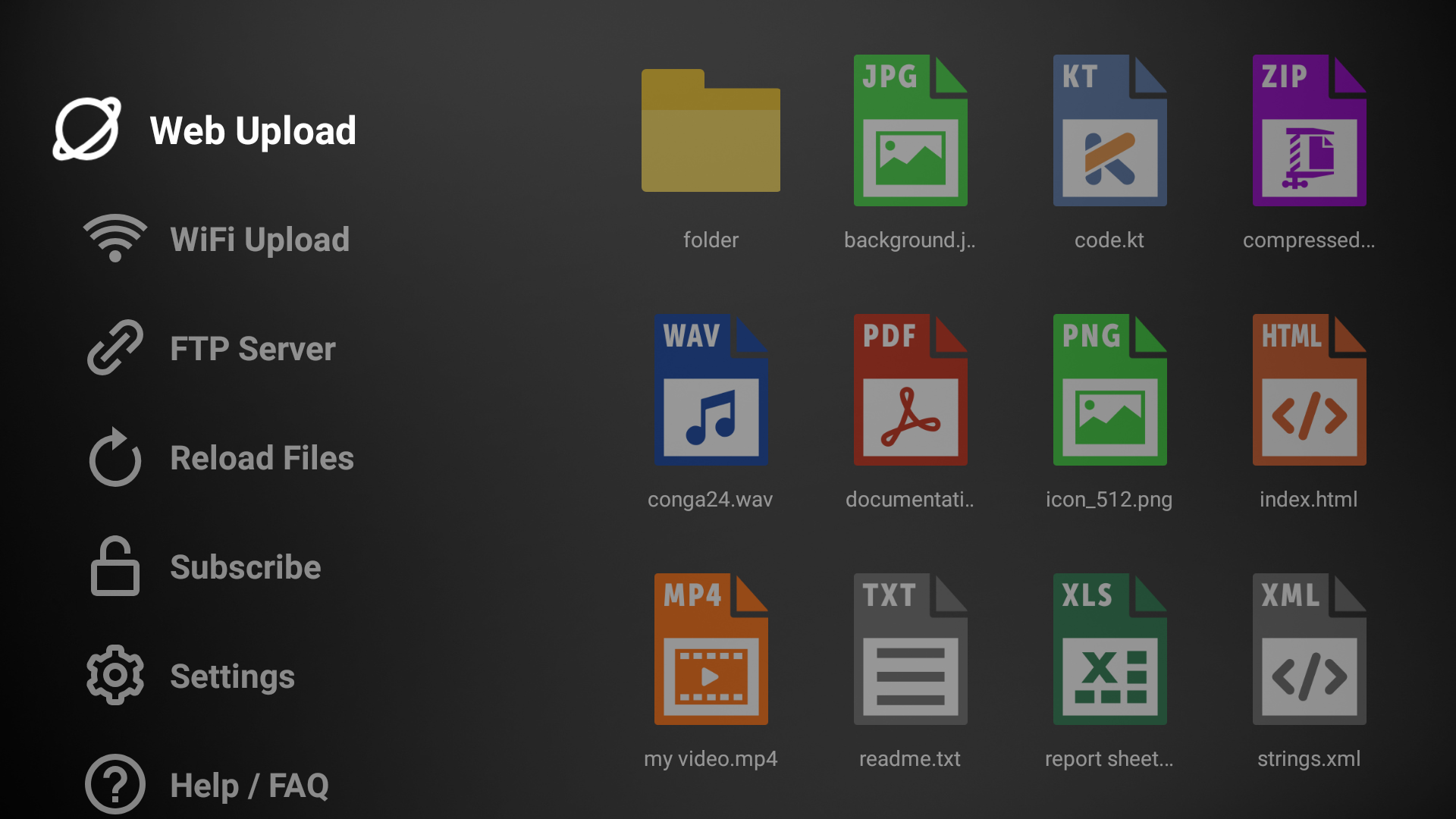
- Multiple Transfer Methods: Supports Web (token-based for any network), Wi-Fi (same network), and FTP (anonymous connection) for maximum flexibility.
- QR Code Connections: Streamlined setup with QR codes for quick and easy connections across all transfer methods.
- TV-Optimized Interface: Built with Android TV principles for smooth navigation using a remote, ensuring a user-friendly experience.
- Smart File Organization: Automatically scans the Downloads folder, listing folders first, then files alphabetically for efficient access.
- Comprehensive File Management: View file details (name, location, size, date) and perform actions like opening or deleting directly from the TV.
- System Info & Maintenance: Access screen resolution, storage info, file counts, and clear all files for easy device management.
Use Cases
TV Drop caters to a diverse range of users, transforming how content is consumed and shared on Android TVs. Content Viewers can easily transfer documents, PDFs, and presentations from their computers or phones to view them comfortably on a large TV screen, ideal for reviewing work or sharing information with others. Media Enthusiasts will appreciate the ability to quickly move high-resolution photos and videos from their mobile devices to their Android TV, enhancing the viewing experience on a bigger display with family and friends. Educators can leverage TV Drop to share educational materials, presentations, and video resources with students on a large classroom display, facilitating interactive learning sessions. For Home Users, it simplifies everyday tasks like transferring family photos, home movies, or downloaded content to the TV for instant entertainment, eliminating the need for complex setups or external drives. This versatility makes TV Drop an indispensable tool for anyone seeking a hassle-free way to manage and display files on their Android TV.Pricing Information
TV Drop offers flexible, cost-effective subscription levels to meet specific user needs. Subscription management is straightforward and can be handled directly within the app, with clear instructions provided for ease of use.User Experience and Support
The user interface of TV Drop is meticulously designed to be simple, intuitive, and optimized for Android TV remotes, ensuring smooth navigation and focus management. The installation process is straightforward: download from Google Play or Amazon Appstore, choose a transfer method, scan a QR code, and send files. Comprehensive support is available through a detailed FAQ page, a dedicated Support & Feedback section with QR codes linking to a Facebook page and feedback forms, and direct links to community channels. Privacy Policy and Terms of Use pages are also provided for full transparency.Technical Details
While specific programming languages or frameworks are not explicitly mentioned, TV Drop is built adhering to Android TV development principles, indicating a native Android application. It leverages standard network protocols like Wi-Fi and FTP, alongside a web-based transfer mechanism, suggesting a robust backend infrastructure to facilitate cross-device file sharing. The use of QR codes for connection setup highlights a focus on modern, user-friendly authentication and pairing methods.Pros and Cons
- Pros:
- Effortless file transfer to Android TV from any device.
- Multiple flexible transfer methods (Web, Wi-Fi, FTP).
- User-friendly, remote-optimized interface.
- Quick connection setup via QR codes.
- Smart file organization for easy access.
- Comprehensive file management and system info.
- Cons:
- Requires a subscription for full functionality.
- Specific tech stack details are not publicly disclosed.
- Relies on installed viewer apps on the TV for opening files.
Conclusion
TV Drop stands out as an essential SaaS solution for anyone seeking a simple, fast, and reliable way to transfer and manage files on their Android TV. Its intuitive design, versatile transfer options, and robust feature set make it perfect for personal, educational, or entertainment use. Download TV Drop today from Google Play or Amazon Appstore to effortlessly bring your content to the big screen.Comments
Publisher

Launch Date2026-08-31
Platformmobile
Pricingfreemium
Tech Stack
#android#web
Sponsors

SaasHunt
Push your saas project to the world. Discover and support indie products. Submit, Earn a Badge & High DR Backlink.
Become a Sponsor
Get your brand featured here
Outbid
View🥇 🥈
🥈 🥉
🥉
Want this spot? Pay what you wantBest Launch Directories: launch directories with DR, traffic and pricing
Launch directories, product launch platforms and startup listing sites in one table, with Domain Rating by Ahrefs, traffic where known, pricing and link type for each.
$50
Boost Your Domain Rating — DoFollow Backlinks (DR 30–70) from $30
Raise your Ahrefs Domain Rating with 5 - 50 dofollow backlinks from DR 30–60 sites — from $50, guaranteed to improve your DR or your money back.
$45
DirEasy - The Best Directory Boilerplate with AI | DirEasy
The best directory boilerplate, packed with AI, Listings, Payment, Submission, CMS, Blog, Authentication, Newsletter, SEO and more.
$41