
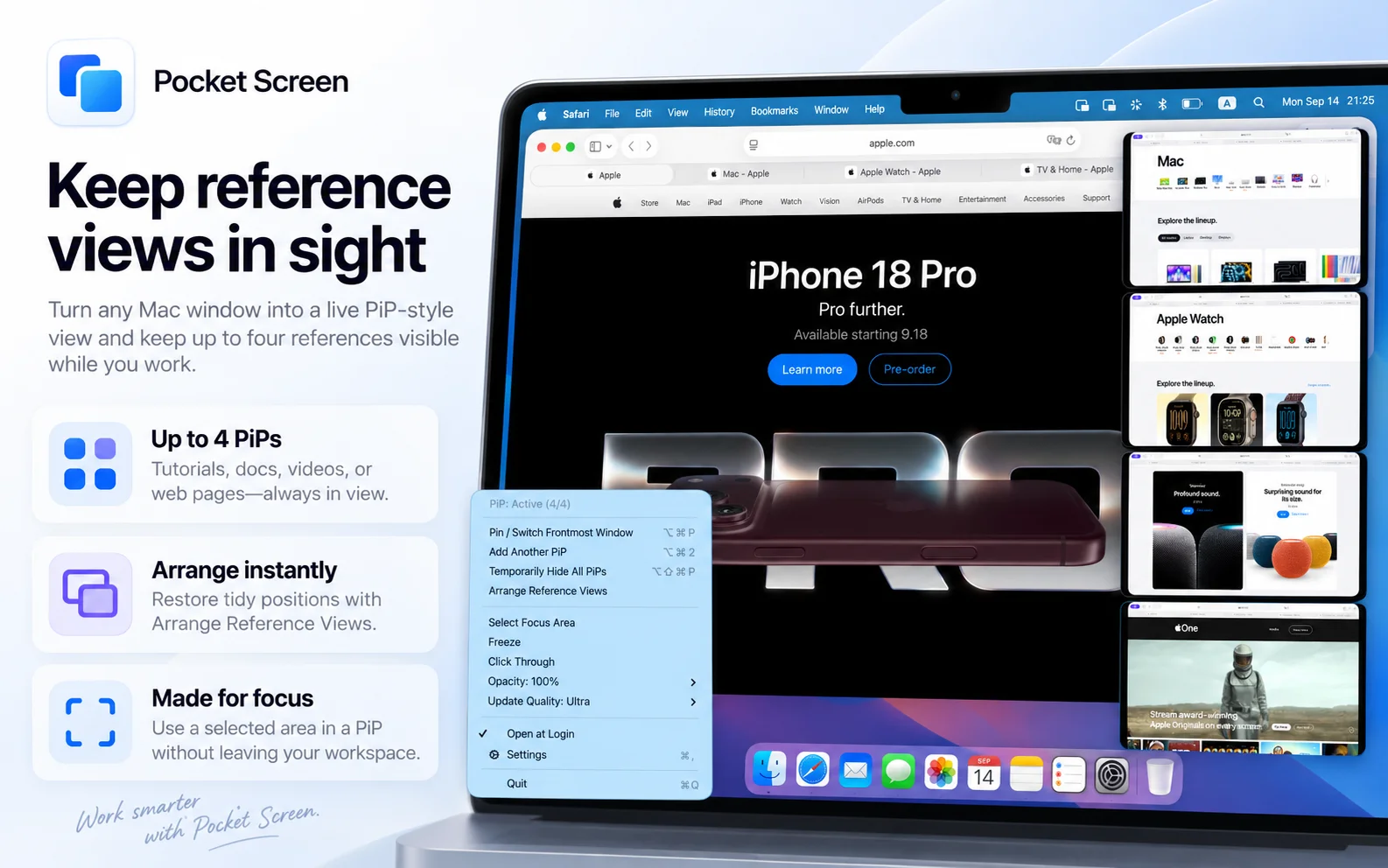
Pocket Screen helps you work with reference material on a single Mac display. Keep a PDF beside your writing, a tutorial beside your editor, or a dashboard in view while you continue your main task. It creates independent live Picture-in-Picture reference views of supported Mac windows, leaving the originals available.
Focus on a useful area, move and resize the view, freeze important content, or use Click Through. To keep content from different tabs of one browser window, freeze a reference before changing the tab and adding another view. Frozen views retain a snapshot; they do not update hidden browser tabs independently. Customizable keyboard shortcuts, arrangement and opacity controls help the views fit the way you work.
The free app supports up to two views and 10 minutes of PiP use per app launch. Unlimited removes the time limit, supports up to four views and adds Ultra quality, up to 4K/60 fps on supported Macs. Choose a one-time purchase or a monthly subscription. No account is required, and captured window content stays on your Mac. Requires macOS 14 or later.
Unlimited is available for US$9.99 as a one-time purchase or US$2.99 per month (US App Store).
Comments
Achievement


Publisher

Launch Date2026-08-24
Platformdesktop
Pricingfreemium
Tech Stack
#Swift#SwiftUI#AppKit#ScreenCaptureKit#StoreKit
Sponsors

SaasHunt
Push your saas project to the world. Discover and support indie products. Submit, Earn a Badge & High DR Backlink.
Become a Sponsor
Get your brand featured here
Outbid
View🥇 🥈
🥈 🥉
🥉
Want this spot? Pay what you wantBest Launch Directories: launch directories with DR, traffic and pricing
Launch directories, product launch platforms and startup listing sites in one table, with Domain Rating by Ahrefs, traffic where known, pricing and link type for each.
$50
Boost Your Domain Rating — DoFollow Backlinks (DR 30–70) from $30
Raise your Ahrefs Domain Rating with 5 - 50 dofollow backlinks from DR 30–60 sites — from $50, guaranteed to improve your DR or your money back.
$45
DirEasy - The Best Directory Boilerplate with AI | DirEasy
The best directory boilerplate, packed with AI, Listings, Payment, Submission, CMS, Blog, Authentication, Newsletter, SEO and more.
$41