
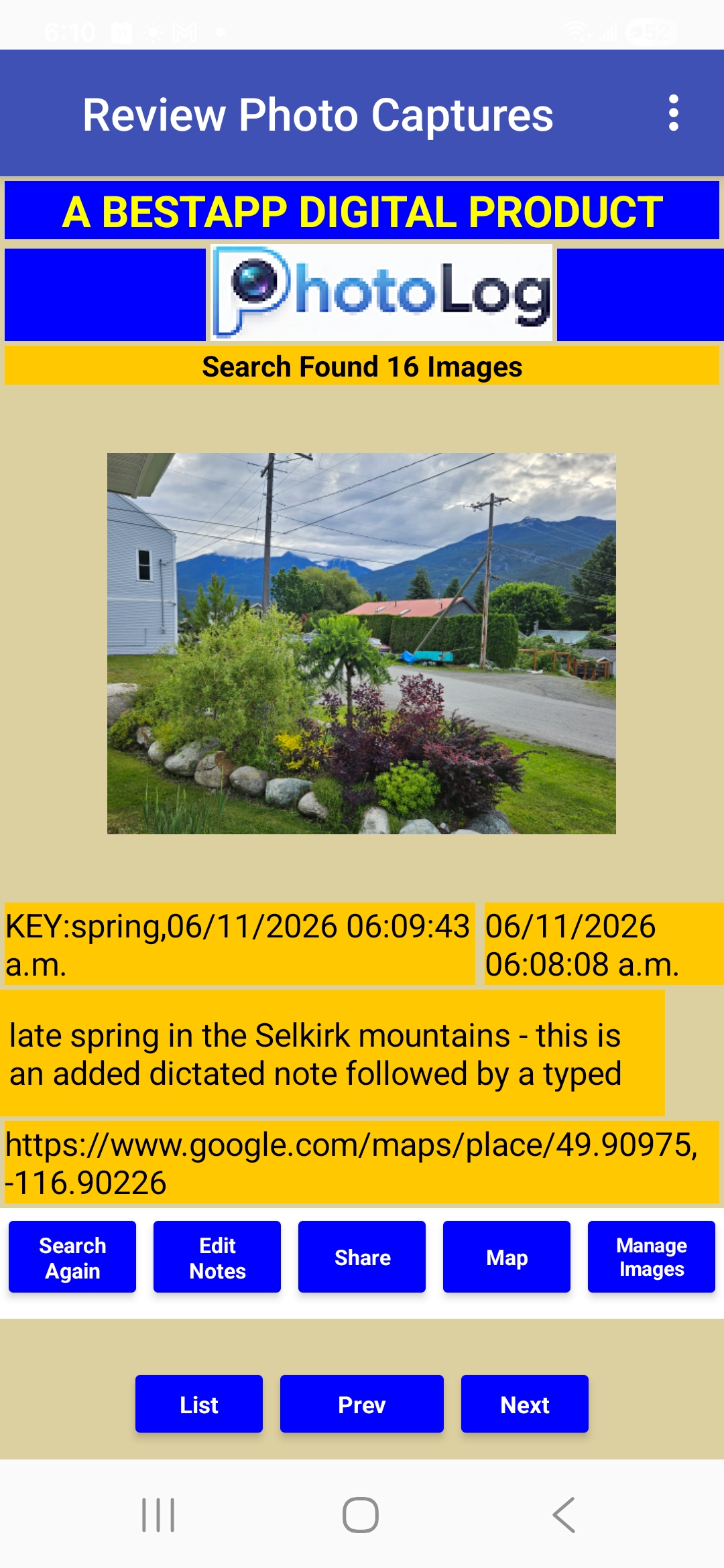
PhotoLog transforms your Android camera into an intelligent field documentation tool, streamlining the process of capturing, annotating, and locating visual information. It's designed for professionals and enthusiasts who need to document what matters, from field surveys and inspections to personal projects and events.
For personal use, such as documenting a car show or a home renovation project, PhotoLog eliminates the hassle of manually organizing photos and remembering details. The persistent session key ensures all photos from a single event share the same identifier, making it effortless to find and review an entire collection later. This intelligent approach significantly improves workflow efficiency and data accuracy across various documentation needs.
Key Features
- Automatic GPS Geotagging: Every photo is precisely tagged with GPS coordinates, viewable on Google Maps, with an instant privacy toggle.
- Typed & Dictated Notes: Attach detailed notes seamlessly, either by typing or using voice dictation, at the time of capture or later.
- Powerful Search: Instantly find any image by user-assigned key or date, making entire sets of photos easily retrievable.
- Export & Share: Share individual images with all their data via any app, or export batches as ZIP files including a beautifully formatted Field Report.
- Persistent Session Key: Maintain a consistent key for all photos within a session (e.g., an event or project) without re-entering.
Use Cases
PhotoLog is invaluable for a wide range of scenarios where visual documentation with contextual data is crucial. Imagine an inspector documenting property damage; PhotoLog allows them to capture images, automatically geotag them, and dictate detailed notes on the spot, ensuring all information is linked and easily retrievable for reports. Similarly, researchers conducting field surveys can efficiently log observations, linking precise locations and descriptive notes to each photo, simplifying data analysis and report generation.For personal use, such as documenting a car show or a home renovation project, PhotoLog eliminates the hassle of manually organizing photos and remembering details. The persistent session key ensures all photos from a single event share the same identifier, making it effortless to find and review an entire collection later. This intelligent approach significantly improves workflow efficiency and data accuracy across various documentation needs.
Pricing Information
PhotoLog operates on a freemium model, allowing users to download and start for free with full access to all features, limited to 24 images total. No credit card is required to begin. For unlimited image captures, users can upgrade to a Monthly plan at $2.99 per month or choose the Annual plan for $19.99 per year, offering a 44% saving compared to the monthly option. Subscriptions are managed conveniently from within the app.User Experience and Support
Designed for simplicity, PhotoLog offers an intuitive four-step process from capture to report: capture the photo, add notes, enter a key, and then search, share, or export. A comprehensive 7-minute video walkthrough demonstrates the app's capabilities in action. Support and Privacy Policy links are readily available on the website, ensuring users have access to assistance and information.Technical Details
PhotoLog is an Android-native application, leveraging the device's camera and GPS capabilities to provide its core functionality. While specific programming languages or frameworks are not detailed, its focus is on delivering a robust and user-friendly mobile experience for field documentation.Pros and Cons
- Pros: Automatic geotagging and timestamping; flexible note-taking (typed & voice); powerful search and organization; comprehensive export options (Field Report); user-friendly interface; freemium access; unique origin story (built by a 79-year-old with no coding experience).
- Cons: Currently limited to Android platform; free tier has a strict image limit; no explicit mention of cloud synchronization for backups (though export is available).
Conclusion
PhotoLog stands out as an exceptionally smart and efficient solution for anyone needing to capture, annotate, and locate photos with rich contextual data. Its blend of automation and user-friendly design makes it an indispensable tool for both professional documentation and personal record-keeping. Download PhotoLog on Google Play today and start documenting your world smarter.Comments
Achievement


Publisher

Launch Date2026-08-03
Platformmobile
Pricingfreemium
Tech Stack
#web
Sponsors

SaasHunt
Push your saas project to the world. Discover and support indie products. Submit, Earn a Badge & High DR Backlink.
Become a Sponsor
Get your brand featured here
Outbid
View🥇 🥈
🥈 🥉
🥉
Want this spot? Pay what you wantBoost Your Domain Rating — DoFollow Backlinks (DR 30–70) from $30
Raise your Ahrefs Domain Rating with 5 - 50 dofollow backlinks from DR 30–60 sites — from $50, guaranteed to improve your DR or your money back.
$45
DirEasy - The Best Directory Boilerplate with AI | DirEasy
The best directory boilerplate, packed with AI, Listings, Payment, Submission, CMS, Blog, Authentication, Newsletter, SEO and more.
$41
Submit Your Startup to 100+ Directories | Submitator
Automated startup directory submission service. Get listed on Product Hunt, BetaList, Indie Hackers & 100+ directories for SEO backlinks and DR boost. From $29.
$40