
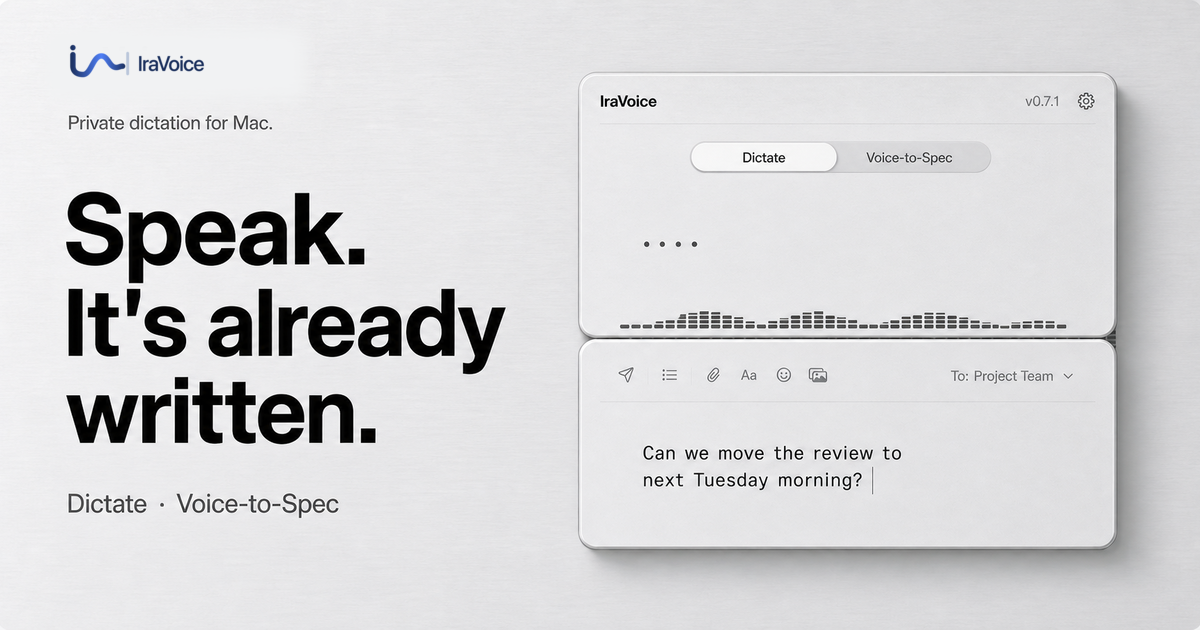
IraVoice is a private, on-device dictation application exclusively for Apple-silicon Macs, designed to transform spoken words into polished text or structured briefs. It prioritizes user privacy by ensuring all voice and text processing remains local to your computer, never touching cloud servers. This tool is ideal for Mac users, from everyday writers seeking efficient dictation to developers needing to quickly generate technical specifications.
Key Features
- On-Device Privacy: All speech recognition and text formatting occur locally on your Mac, ensuring your voice and data never leave your device.
- Dual Workflows: Offers both polished voice-to-text for general writing and a unique Voice-to-Spec feature for converting spoken requirements into structured Markdown briefs.
- Seamless Integration: Dictate directly into any focused text field using Right Option, or generate a brief with Globe.
- High Accuracy: Boasts impressive recognition rates, with audited benchmarks showing low Word Error Rates (WER).
- Developer Handoff: Voice-to-Spec can optionally route finished specifications directly to AI agents like Codex or Claude Code in a visible, guarded session.
- No Subscriptions: A one-time purchase model provides lifetime access to all features.
Use Cases
IraVoice significantly enhances productivity for a wide range of Mac users. For general writing, it allows individuals to dictate emails, reports, or creative content directly into any application, bypassing the need for typing. The app intelligently processes natural speech, skipping filler words and applying formatting locally, making content creation faster and more intuitive without compromising data privacy. Developers and technical professionals will find the Voice-to-Spec workflow particularly valuable. It enables them to articulate complex technical thoughts, requirements, or design ideas verbally, which IraVoice then converts into a structured Markdown brief. This accelerates documentation, facilitates clear communication within teams, and can even serve as a direct input for AI code generation tools, streamlining the entire development lifecycle from concept to code.Pricing Information
IraVoice operates on a straightforward, one-time purchase model priced at $50, eliminating the need for recurring subscriptions. A generous 3-day full trial is available, allowing users to experience all features without requiring a credit card or creating an app account. Purchases are handled securely via Gumroad and come with a 30-day refund guarantee.User Experience and Support
Designed for simplicity and efficiency, IraVoice integrates seamlessly into the macOS environment with intuitive keyboard shortcuts for dictation and brief generation. Installation is flexible, available via a notarized DMG or Homebrew. The product is backed by comprehensive guides, a transparent privacy promise, and published evidence of its recognition accuracy and privacy paths, ensuring users have all the information they need.Technical Details
IraVoice leverages advanced on-device technologies, utilizing local Core ML models for robust speech recognition and Apple's on-device model (Apple Intelligence) for sophisticated text formatting. This architecture ensures that all audio and transcript processing occurs exclusively on the user's Apple-silicon Mac running macOS 26+, guaranteeing maximum privacy. The application operates without any account system or product telemetry, reinforcing its commitment to data security.Pros and Cons
- Pros:
- Unmatched privacy with 100% on-device processing.
- Cost-effective one-time purchase model.
- Highly accurate speech recognition and intelligent formatting.
- Specialized workflow for developer specifications.
- Transparent and auditable privacy and performance claims.
- Easy installation and seamless macOS integration.
- Cons:
- Requires Apple-silicon Mac and macOS 26+.
- Polished formatting and Voice-to-Spec depend on Apple Intelligence.
- Initial download of speech models on first use.
- Specific shortcut keys might require a brief learning curve.
Conclusion
IraVoice offers a powerful, private, and highly efficient dictation solution for Mac users, setting a new standard for on-device voice-to-text and technical brief generation. Its unwavering commitment to user privacy, combined with versatile workflows and transparent operations, makes it an indispensable tool for enhancing productivity. We encourage you to explore IraVoice's 3-day free trial to experience its transformative capabilities.Comments
Publisher

Launch Date2026-09-07
Platformdesktop
Pricingpaid
Tech Stack
#CoreML#macOS#AppleAI
Sponsors

SaasHunt
Push your saas project to the world. Discover and support indie products. Submit, Earn a Badge & High DR Backlink.
Become a Sponsor
Get your brand featured here
Outbid
View🥇 🥈
🥈 🥉
🥉
Want this spot? Pay what you wantBest Launch Directories: launch directories with DR, traffic and pricing
Launch directories, product launch platforms and startup listing sites in one table, with Domain Rating by Ahrefs, traffic where known, pricing and link type for each.
$50
Boost Your Domain Rating — DoFollow Backlinks (DR 30–70) from $30
Raise your Ahrefs Domain Rating with 5 - 50 dofollow backlinks from DR 30–60 sites — from $50, guaranteed to improve your DR or your money back.
$45
DirEasy - The Best Directory Boilerplate with AI | DirEasy
The best directory boilerplate, packed with AI, Listings, Payment, Submission, CMS, Blog, Authentication, Newsletter, SEO and more.
$41