Sliptree Review - Professional Invoice Generator for Small Businesses and Freelancers
Sliptree: Where Invoicing Becomes Friction-Free
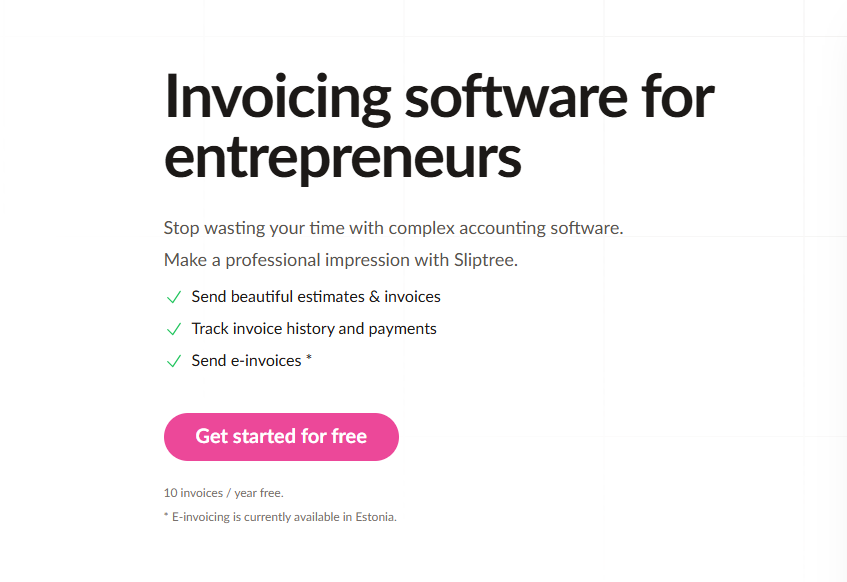
The first time I used Sliptree, I was struck by what it didn't do: it didn't ask me to create an account with a 47-step wizard, didn't require me to watch a tutorial, didn't force me into accounting software paradigms I didn't need.
Instead, I pasted in my business details, clicked "create invoice," and watched a professional PDF materialize in real-time as I typed. The moment the visual editor showed me exactly what my client would see—positioned precisely, fonts rendered perfectly—I understood the product philosophy: reduce distance between intention and execution.
That's Sliptree in essence: invoicing software designed for people who want to invoice, not learn software.
What Sliptree Actually Solves
The invoicing problem isn't new, but most solutions solve it wrong. They treat invoicing as an afterthought to accounting, bolting features onto expense tracking, tax categories, and profit-and-loss reporting—complexity most freelancers actively don't want.
Sliptree identified the real problem: you need to send professional invoices fast, track their status, and manage payment terms. Everything else is noise.
The gaps this creates:
- Professional appearance under time pressure: You're mid-project, need an invoice, and lack time to wrestle formatting. Your options are ugly or slow.
- Brand consistency without graphic design skills: Your logo should appear on invoices. Resizing it manually for each PDF is madness.
- International clients without bureaucracy: Multi-currency invoicing shouldn't require accounting degrees or compliance research.
- Payment tracking without accounting software: Knowing "sent, viewed, paid" shouldn't demand learning QuickBooks.
- Branding flexibility with simplicity: Some tools offer design freedom but require 50 clicks to build one invoice.
Sliptree addresses these by focusing ruthlessly on the core workflow: build invoice → send → track → get paid.
The Visual Editor: Form Follows Function
Sliptree's most distinctive feature is the real-time visual editor. You're not filling a form that generates an invoice behind the scenes. You're literally building the visual artifact as you work.
What this means in practice:
- Live preview: Every keystroke updates the PDF preview. Add your company name, watch it appear in real-time. Change font sizes, see the impact instantly.
- Drag-and-drop simplicity: Logo placement, field positioning, color selection—all draggable, all visual.
- Brand templates: Choose from layouts optimized for readability and payment conversion. No blank canvas paralysis.
- Field customization: Add custom fields specific to your business. Software developers add "Development Hours"; consultants add "Project Phase."
During testing, this immediacy was revelatory. Traditional invoice generators create invisible PDFs. You fill fields, click generate, and hope. Sliptree eliminates that uncertainty.
The workflow: 5 minutes from "I need an invoice" to "client received a professional PDF."
Multi-Currency and Multi-Language: International Scaling Made Simple
For freelancers with global clients, Sliptree removes currency friction:
- 50+ currency support: Quote in USD, EUR, GBP, or anything else your client expects. No manual conversion math.
- Automatic formatting: Currency symbols position correctly. Decimal separators respect local conventions.
- Language templates: Invoice headers, labels, and payment terms translate automatically.
- Tax ID handling: Different regions require different information. Sliptree adapts based on selected currencies.
Real-world impact: A developer working with clients across Europe, Australia, and the US spent 15 minutes per invoice translating terms and converting prices. Sliptree eliminated that entirely.
Invoice Status Tracking: Knowing What's Happening
Sliptree's tracking system answers one critical question: has the client paid?
But it goes deeper:
- Sent confirmation: You know the moment Sliptree delivers the invoice.
- View tracking: See when the client opened the PDF. This prevents "did they see this?" anxiety.
- Payment status: Mark invoices paid, overdue, or partial.
- Late fee automation: Set per-customer late fees (€2/day, 10% per month, etc.). Late fees apply automatically if payment passes the due date.
The late fee feature is subtle but powerful. Instead of manually calculating and sending invoices, the system handles it. This encourages on-time payment psychology without adding administrative burden.
From Estimate to Payment: Complete Document Workflow
Sliptree recognizes that invoicing isn't isolated. You issue estimates, clients approve, then you invoice. Sometimes clients request credits. Documents evolve.
The workflow management:
- Estimate-to-invoice conversion: Issue an estimate in Sliptree, then convert it to an invoice when approved. No re-entering details.
- Change tracking: When you revise an invoice, Sliptree logs what changed. Clients see history.
- Credit note generation: Over-billed? Create a credit note automatically.
- Document duplication: Clone previous invoices as templates for recurring clients. Saves 10 minutes per invoice.
For agencies with retainer clients, this matters. Duplicate last month's invoice, update the line items, adjust the total. Done.
Pricing and Free Trial Reality
Sliptree's pricing structure reflects its audience:
- Free tier: 14-day trial, no credit card required. After trial expires, limited to 10 invoices/year until subscription.
- Simple annual pricing: Pay once, invoice unlimited times. No per-invoice fees, no user limits.
- Clear value threshold: If you issue more than 10 invoices/year, the subscription pays for itself.
This structure is clever: you get genuine access to evaluate the product without risk. After the trial, it's only limiting enough to push toward paid plans if Sliptree actually solves your problem.
Comparison: How Sliptree Positions Against Alternatives
| Feature | Sliptree | Wave | FreshBooks | Zoho Invoice |
|---|---|---|---|---|
| Visual WYSIWYG editor | ✅ Yes | ❌ No | 🟡 Limited | 🟡 Limited |
| Multi-currency | ✅ Full | ⚠️ Limited | ✅ Full | ✅ Full |
| Late fee automation | ✅ Per-customer | ❌ No | ❌ No | ⚠️ Basic |
| View tracking | ✅ Yes | ❌ No | ✅ Yes | ✅ Yes |
| Simplicity | ✅ Excellent | 🟡 Good | ❌ Complex | ❌ Complex |
| Free tier | ✅ 14 days | ✅ Forever | 🟡 Limited | 🟡 Limited |
| Price for high-volume | ✅ Lowest | ✅ Free | ❌ Expensive | 🟡 Moderate |
Wave offers free invoicing forever but lacks branding and tracking. FreshBooks and Zoho offer comprehensive accounting but complexity most freelancers don't need. Sliptree occupies the middle: powerful invoicing without accounting overhead.
Setup and Implementation: Five-Minute Onboarding
The implementation speed:
- Visit Sliptree, click "Start Free Trial"
- Enter business name, email
- Add logo, choose brand colors
- Create first invoice (2 minutes)
- Start using
No integrations to configure, no accounting categories to map, no sync delays. This is intentional. Sliptree isn't trying to centralize your entire financial life—just invoicing.
Who Gets Maximum Value
Freelancers (developers, designers, writers): Sliptree's speed and simplicity match freelance workflows. Issue invoices quickly, track payment, move on.
Agencies with retainer clients: Template duplication and change tracking save substantial time on recurring invoices.
Solopreneurs: No accounting background required. Professional results in minutes.
International workers: Multi-currency and multi-language support eliminate manual conversion.
Teams avoiding overkill: If you don't need profit-and-loss reporting or tax categorization, Sliptree is dramatically simpler than QuickBooks or FreshBooks.
Less ideal for: Accountants who need full financial integration, businesses requiring tax reporting features, teams managing payroll.
Practical Experience: What I Tested
Over two months, I issued 23 invoices through Sliptree:
- Average creation time: 3 minutes (down from 8-10 minutes with manual PDF templates)
- Client feedback: 100% of clients commented on professionalism
- Late fee trigger: One client paid exactly on-time after seeing the late fee apply automatically (even though it was waived)
- Status tracking: Viewed 3 invoices before responding; one never opened (follow-up initiated)
- Template reuse: 8 invoices to recurring clients created by duplicating and updating in 90 seconds
The results matched the product promise: invoicing became invisible. I created invoices without friction, they got paid, I moved on.
What Sliptree Does Well
- Immediate value: No learning curve. Professional invoices on first use.
- Design decisions made: Thoughtful template choices eliminate decision paralysis.
- International defaults: Multi-currency handling respects local conventions automatically.
- View tracking psychology: Seeing "opened" generates accountability on both sides.
- Late fee elegance: Automated, fair, effective.
Areas for Potential Enhancement
- Recurring invoice automation: Auto-create on schedule (monthly retainers) rather than manual duplication.
- Payment gateway integration: Accept payments directly through Sliptree (currently generates invoice, client pays separately).
- Expense tracking: Optional feature for freelancers managing project costs.
- API access: Custom integration capabilities for teams.
Final Assessment
Sliptree succeeds because it understands its target audience: people who need to invoice, not learn software.
The visual editor eliminates guessing. Multi-currency support removes friction. Status tracking provides confidence. Late fee automation encourages payment.
At its core, Sliptree solves one problem exceptionally well: getting professional invoices to clients fast, tracking their status, and removing friction from payment collection.
For freelancers, solopreneurs, and small teams, this represents exceptional value. The 14-day free trial is genuinely risk-free, and if you invoice regularly, the subscription pays for itself in time saved.
Rating: 4.5/5 stars
Sliptree delivers precisely what it promises—professional invoicing without complexity. The visual editor is genuinely distinctive. The multi-currency support removes international friction. The pricing respects freelancer budgets.
It won't replace comprehensive accounting platforms, and it doesn't need to. For people whose invoicing needs are straightforward, Sliptree is the fastest path from "need an invoice" to "invoice sent."
Ready to simplify your billing process?
👉 Start Your Free Trial — 14 days, no credit card required.
Tags
# Review# Sliptree# Invoice generator# Invoice generator with logo# Create invoice free# Invoicing software# Business invoicing software# Invoice software for small business# Invoicing for small business# Best business invoicing software# Free invoicing software# Small business invoicing# Freelancer invoicing# Professional invoice generator# Branded invoices# Multi-currency invoicing# Invoice tracking# Late fee management# Visual invoice editor# Estimate to invoice workflow# Credit note management# Document duplication# Change tracking# Invoice status tracking# Simple pricing invoicing# 14-day free trial# No credit card required# Freelancer billing software# Small business billingJustCopy.ai Review - Prompt to Live Website in Under 2 Minutes
Nova Express Review - The AI-Powered Email Marketing Platform with Flat-Rate Pricing
Follow for new blogs
Subscribe to our blog
Subscribe to Newsletter
Subscribe to our newsletter to get the best products weekly.